> ## Documentation Index
> Fetch the complete documentation index at: https://fillout-005a867b-dependabot-npm-and-yarn-form-data-4-0-6.mintlify.site/llms.txt
> Use this file to discover all available pages before exploring further.
# Write a static value to an integration
> Send a fixed value to Airtable, Notion or another integration for any field, using static values. Prevent respondents from editing the default value.
## Overview
In certain cases, you may want to save a fixed value to an integration instead of letting your respondents input answers to a field. For example, you might have a **single select** field in Airtable or Notion that should always be marked as completed when submitted.
## How to add static values (Recommended approach)
First, navigate to the `Integrate` tab on top and click Airtable or Notion.
Go to **Mappings** section and link Airtable (or Notion) fields on the left to the Fillout fields on right. In our example, we'll choose the Status field on Airtable.
Then, select to type a value you would like to use. We'll type Finished for this example.
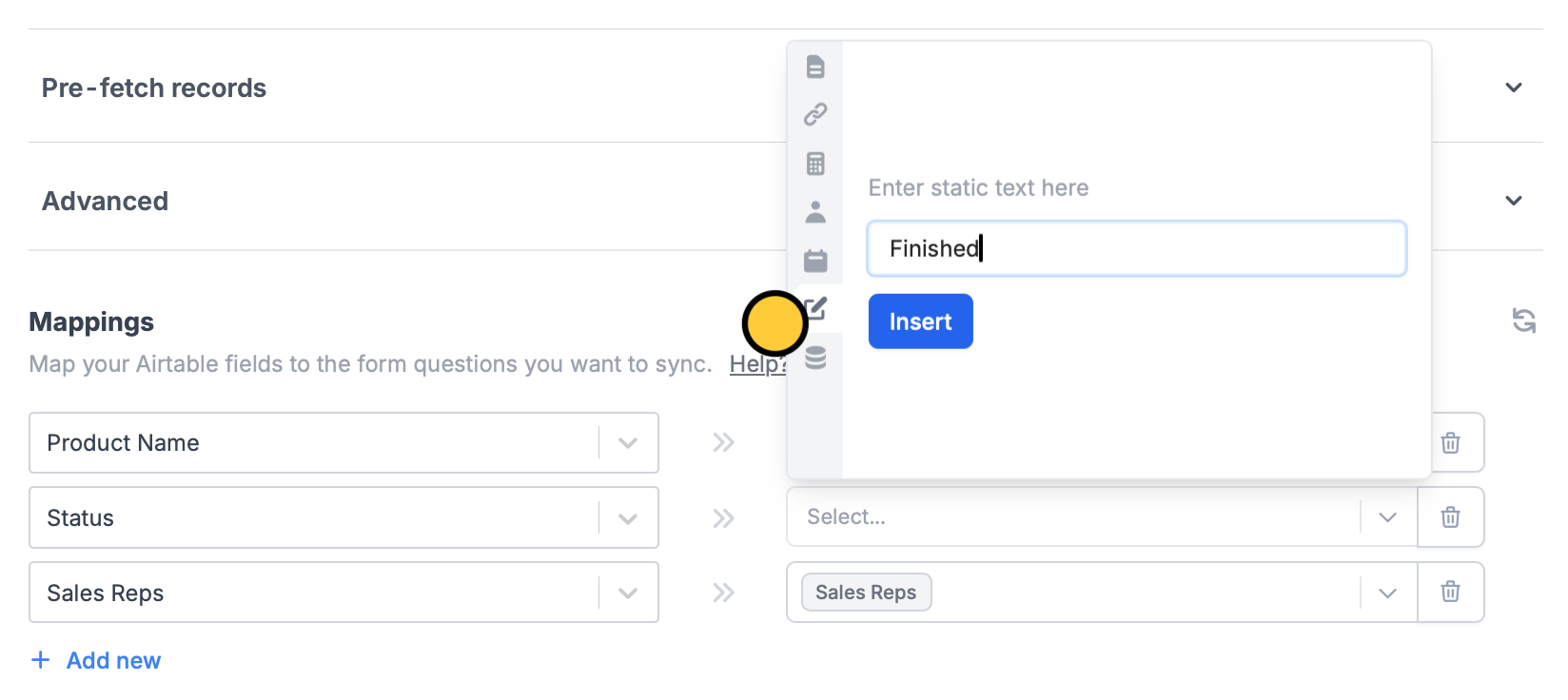 That’s it! Your form is good to go.
Remember to `Publish` your form to make the changes reflect.
## Hide field
Another option is to go back to `Edit` from the top menu. Click the field's to open the right-hand panel. Under **Logic**, toggle `Hide always`.
That’s it! Your form is good to go.
Remember to `Publish` your form to make the changes reflect.
## Hide field
Another option is to go back to `Edit` from the top menu. Click the field's to open the right-hand panel. Under **Logic**, toggle `Hide always`.
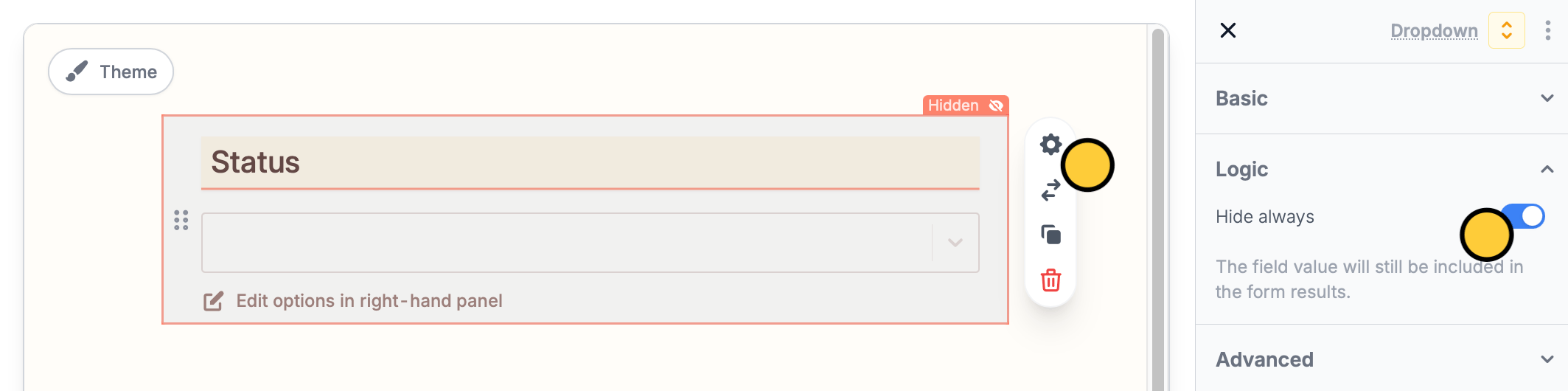 Now, the Status question containing the answer, Finished, will no longer be visible to respondents.
If you’re creating an **update** form, you’ll need to use the **static value** approach described above instead.
Now, the Status question containing the answer, Finished, will no longer be visible to respondents.
If you’re creating an **update** form, you’ll need to use the **static value** approach described above instead.